1. Open your email on the webmail.xadtech.com
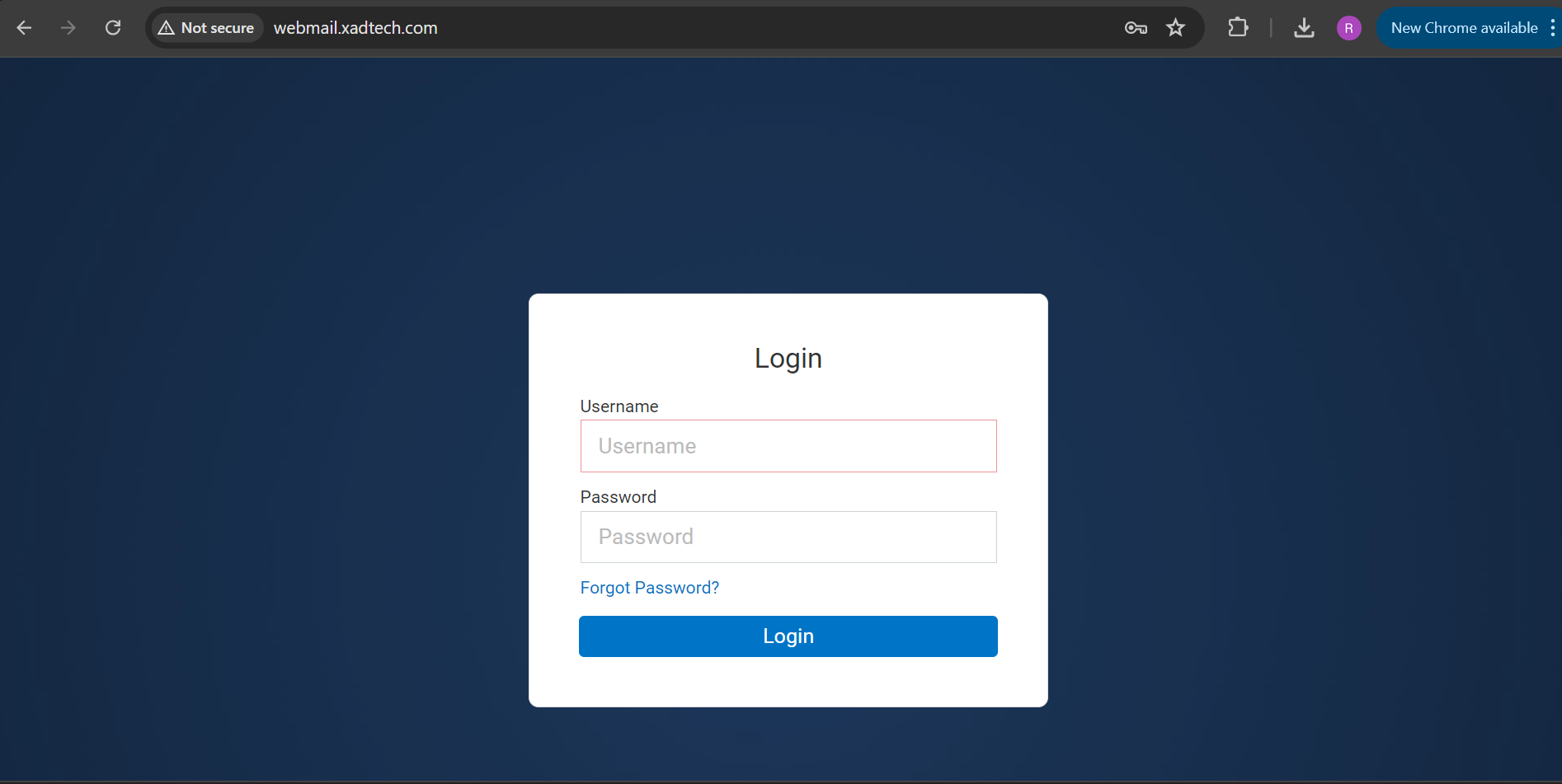
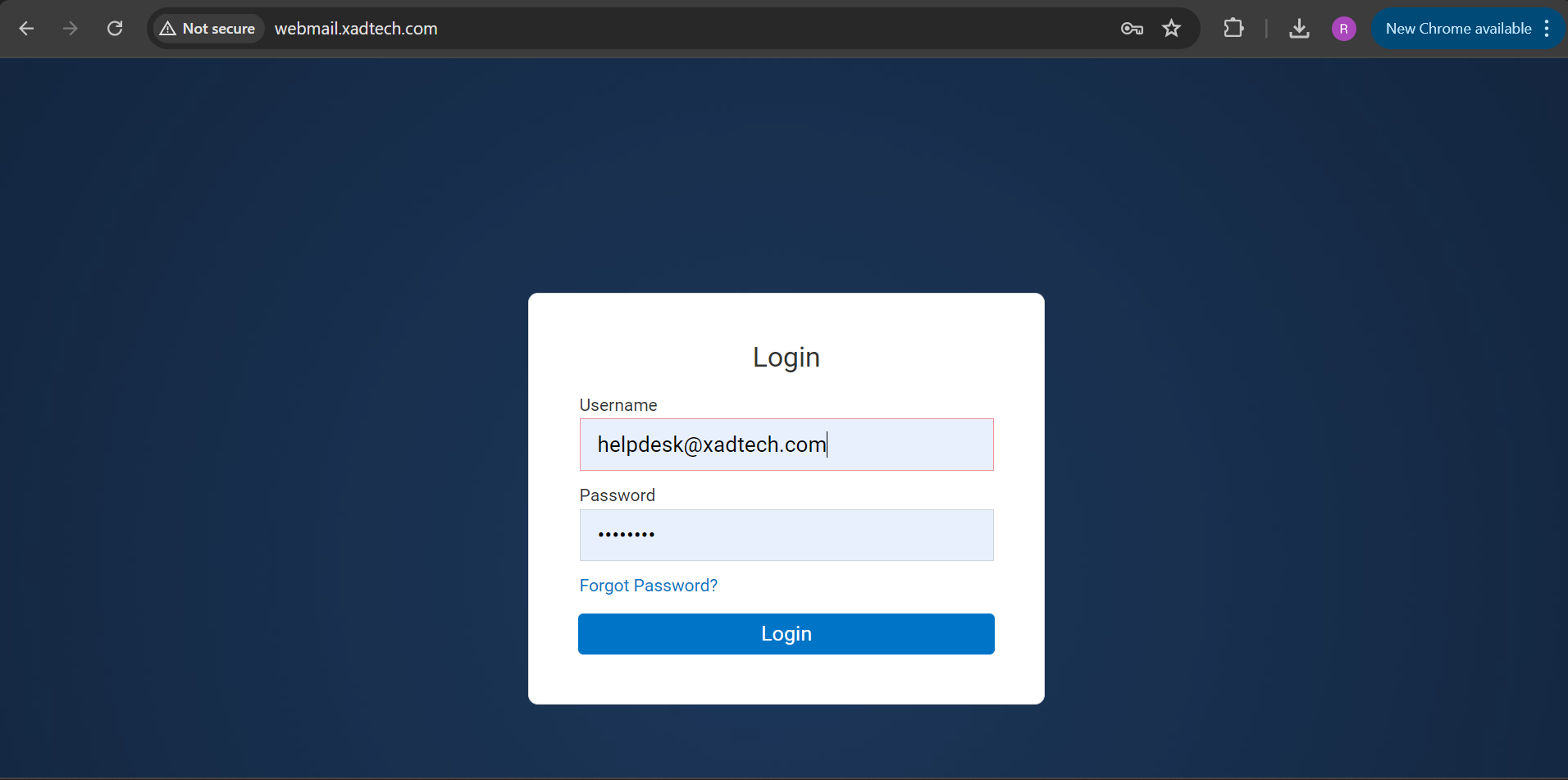
2. Enter your email address such as helpdesk@xadtech.com
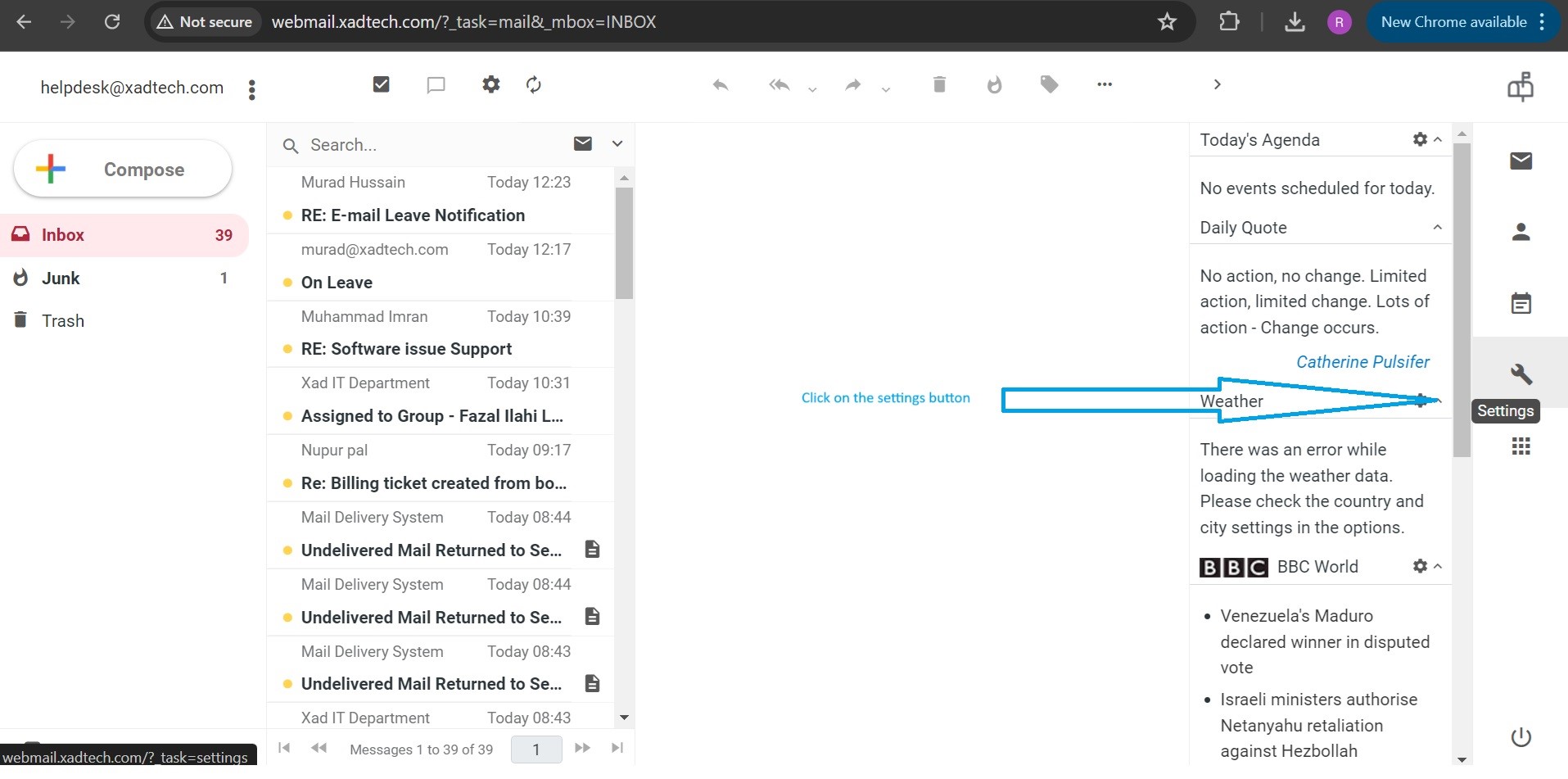
3. When you enter the email mail box. Look for the settings button as mentioned in the picture below.
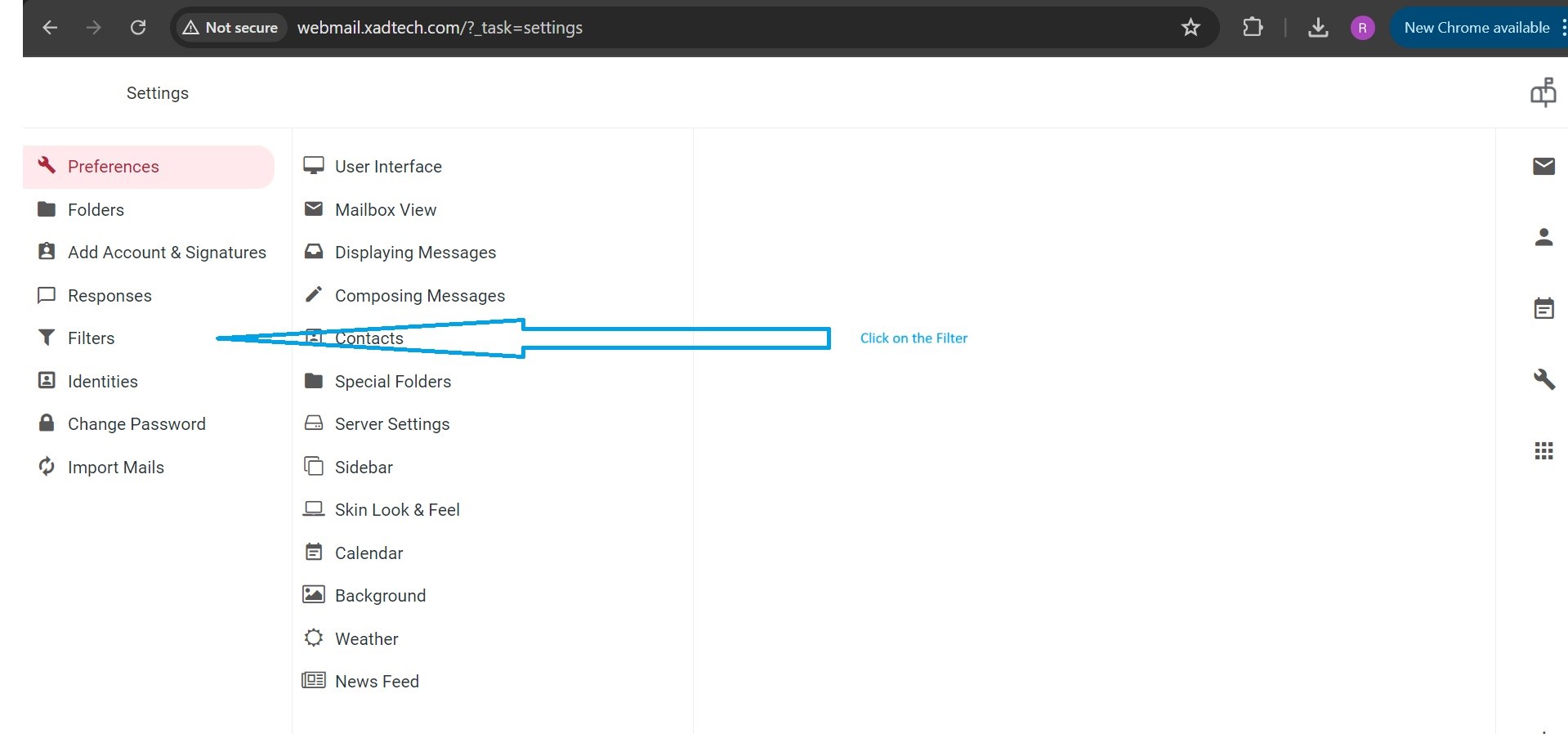
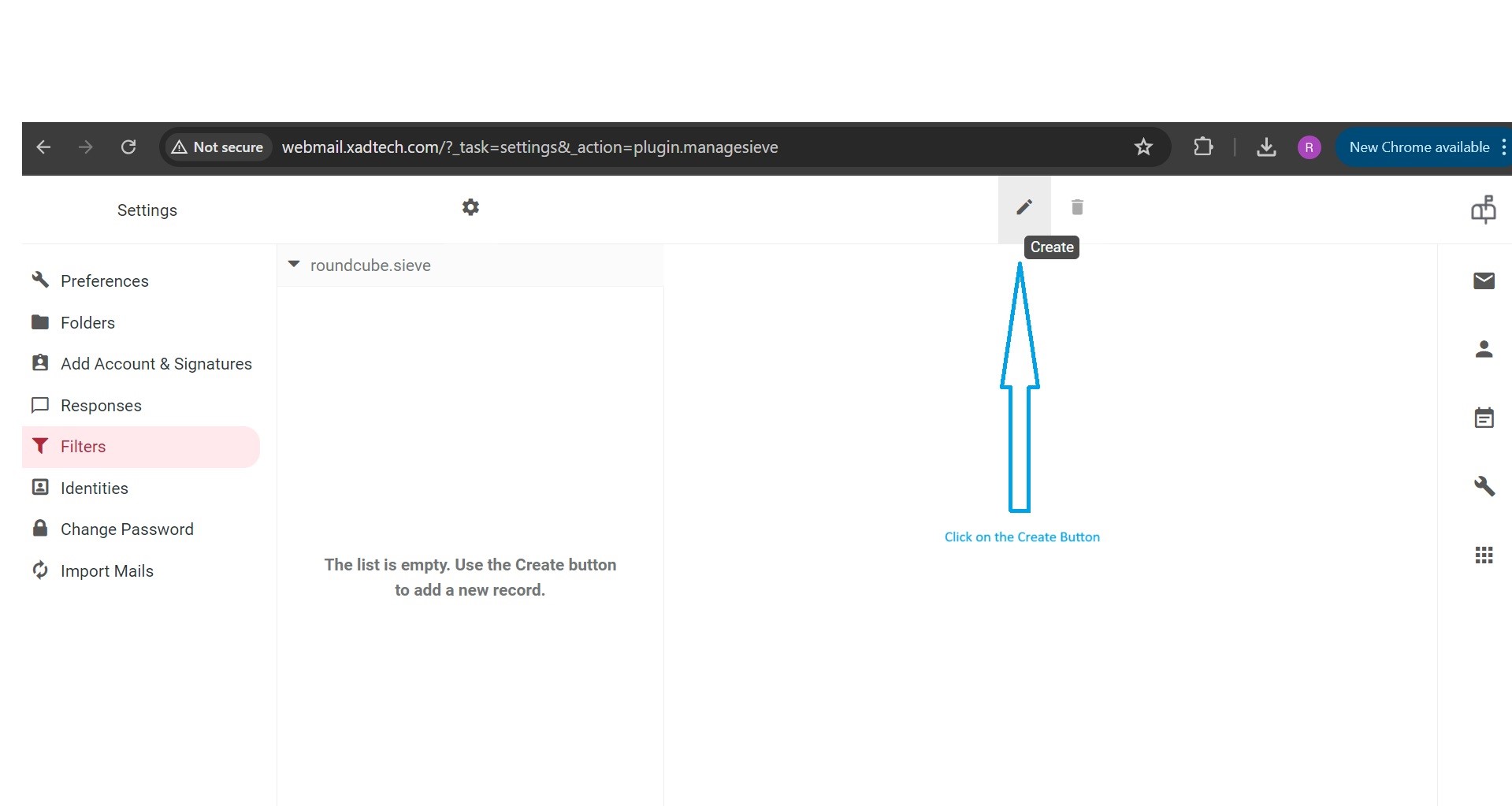
4. Look for the Filters on left side and click on it.
5. Look for the create button and click on it.
6. Create a Filter by following the below method.
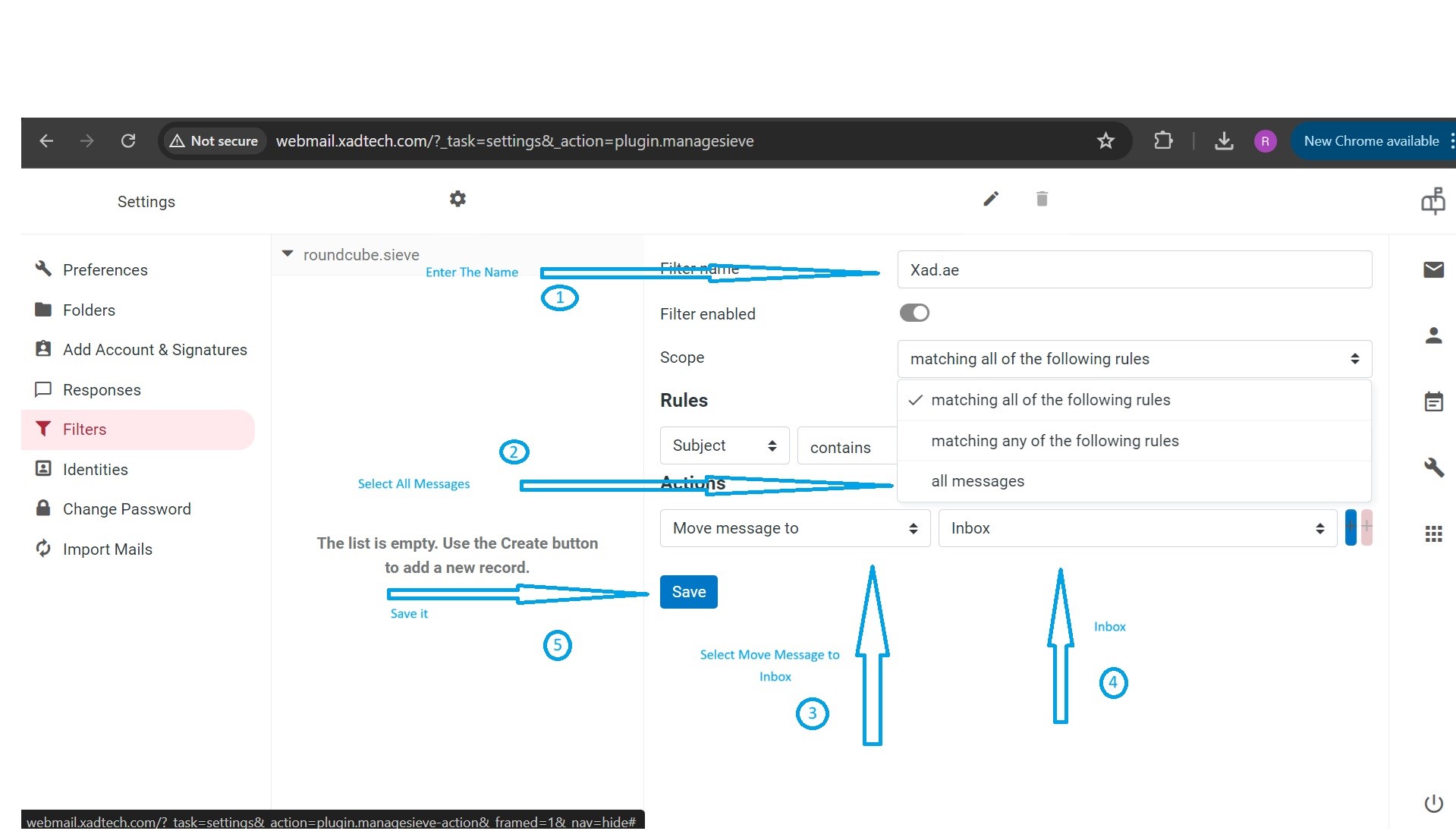
And Its done. 
Was this article helpful?
That’s Great!
Thank you for your feedback
Sorry! We couldn't be helpful
Thank you for your feedback
Feedback sent
We appreciate your effort and will try to fix the article